top of page

Scalable
Obtain the possibilities in Microsoft Teams Enterprise Voice with VoiceQ365 

VoiceQ365 is a scalable solution that makes it easy to manage even complex Microsoft Teams Enterprise Voice environments.
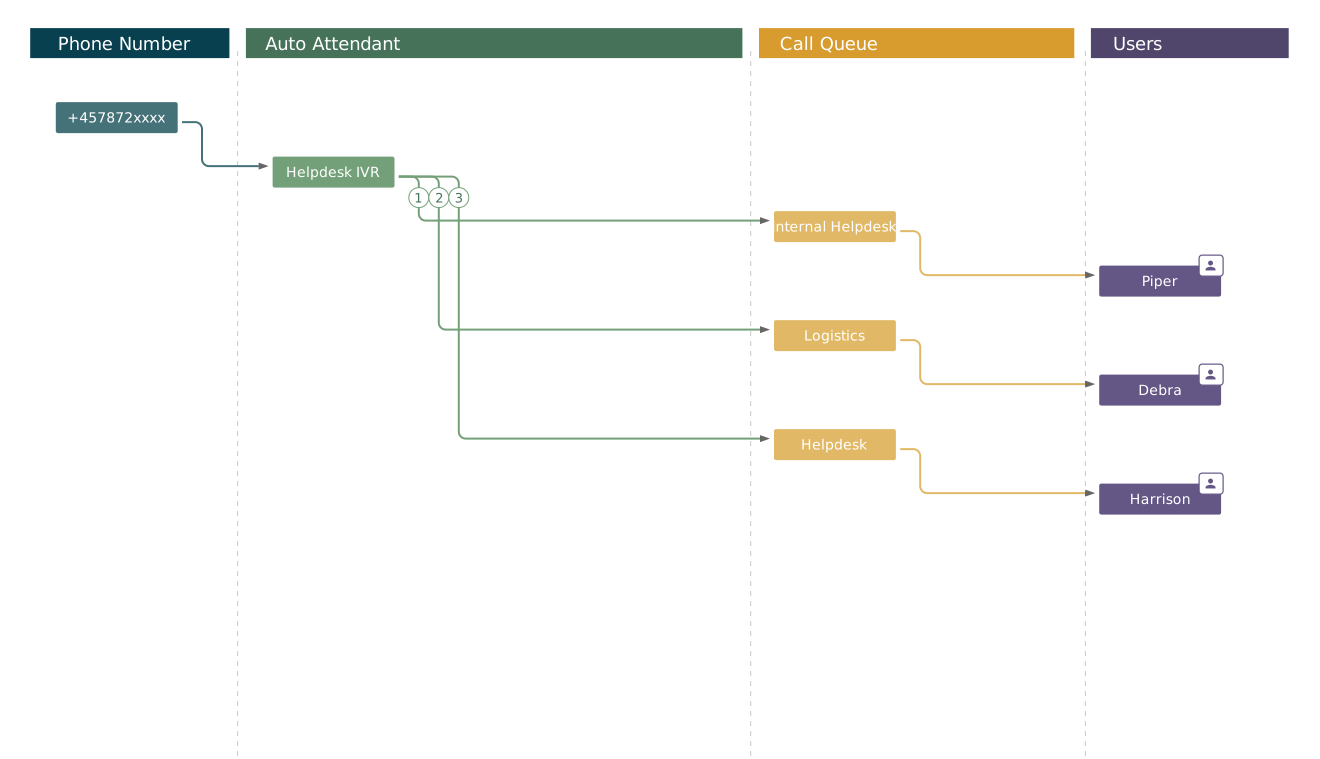
With one unified view, you can configure, maintain, and manage Call Queues, Auto Attendants, and Teams agents – all on one intuitive page.

The solution comes ready to use with Dashboard and full reporting on Microsoft Teams Enterprise Voice – based on Power BI and REST APIs – so you get both real-time insights and in-depth analyses.

VoiceQ365. Three versions. Your choice 

PM_table_basic_edited - Copy2.PNG
VoiceQ365 - Advanced.PNG
VoiceQ365 - Professional.PNG

POWERFUL MANAGEMENT
Enjoy the features while releasing your potential

PERFORMANCE-METRICS_diagram_DDI.png

Self-service portal results in easy management of: 

  1. Auto Attendants 

  2. Call Queues

  3. Agents 

  4. DDI no. assignment 

  5. Users who should have administrative access 

Dashboard enables you to see the status in real time, in a split second

  1. Combined presence overview on agents 

  2. Agent presence on queues 

  3. Opt-out overview on agents

  4. Number of active calls waiting in queue 

  5. Count of calls per queue 

  6. Average waiting time 

  7. Capacity on queues 

Reporting services are a reliable starting point for decision making 

  1. Power BI-based CDR reports 

  2. Create and distribute your CDR reports  

  3. Manage access to your reports via your own Power BI tenant 

  4. API-based CDR reports 

  5. Easily integrate your CDR data into your existing reporting tools through our REST-based services

FLEXIBLE CONTACT CENTER EXPERIENCE
Call Queues in Microsoft Teams. Improving everyday life for everyone.   

Our visual call flow designer an easy way to leverage on Microsoft Teams Enterprise Voice and offer customers contact center features without investing in a contact center solution. Without any extra effort your customers will be met with the option to offer call back service and customized greetings. With VoiceQ365 you have an easy way to understand you customer journey, via our dashboard to monitor your inbound activities.  All you need is Microsoft Teams Enterprise Voice, as you may have already, combined with VoiceQ365.

INTUITIVE DASHBOARD
VoiceQ365. Easy and intuitive 

With VoiceQ365 you can finally say goodbye to PowerShell scripting and still gain the full benefit of Microsoft Teams Enterprise Voice via Direct Routing or Operator Connect. Instead, you can easily enjoy the out-of-the-box dashboard and full Microsoft Teams Enterprise Voice tenant reporting based on Power BI and REST.

VoiceQ365 with Call Queue Extended

VoiceQ365 with Call Queue Extended

Auto Attendant and Call Queue configuration page

Auto Attendant and Call Queue configuration page provides a unique overview and easy access to editing and changing the setup. Take advantage of a unique feature that enables the delegation of administrator privileges to individual Auto Attendants and Call Queues. With only a few clicks, users can edit specific Auto Attendants and Call Queues. 

Godkendt Dashboard_VoiceQ365 dashboard

Get a real-time overview of calls, agents, waiting times and critical information via the dashboard in relation to the number of available resources that can answer customer inquiries. The dashboard can be viewed via one or more screens, allowing customers to create their own Contact Center light and take full advantage of Teams telephony without expensive third-party solutions.

Gates - Municipality Høje Taastrup

REFERENCE
What they say about VoiceQ365 at the Municipality of Høje Taastrup, Denmark

“We have been able to roll out the majority of the phone solutions throughout the municipality without having a hard-core technician on the team. We're blissfully ignorant of PowerShell scripting and we avoid all this code-specific stuff, and it's pretty amazing. With the Coherence platform and VoiceQ365, we even get a real-time visual overview that we have not had before. You don't have to access a special interface to look for the answer. This makes it significantly easier to manage numbers and see the status of a current phone queue. It's just become a lot simpler.”
Maria Grønbek Philip, Specialist Consultant,
Høje Taastrup Kommune

REFERENCE
What they say about
VoiceQ365 Telenor

“If we had just bought a complete system from one of the major suppliers, we would not have been able to adapt the system. With Performance Metrics, they have always understood the customisation we need. When we started the collaboration, we needed a solution to enable us to invoice our clients. The solution they came up with has worked really well. We have been met with innovative thinking, flexibility and friendly people. They are highly skilled in the Microsoft universe and know how to translate their level of knowledge into value for us and our clients.”
Nils Petter Brokstad, Business Development Manager, Telenor

Telenor Logo
bottom of page